
RG-DesktopLink›Everyday use
Move a window to another PC
Drag any window by its title bar over the edge of the screen toward another PC, as if that PC's screen were one more monitor. The program keeps running on its own PC; you see it and work in it on the other one.
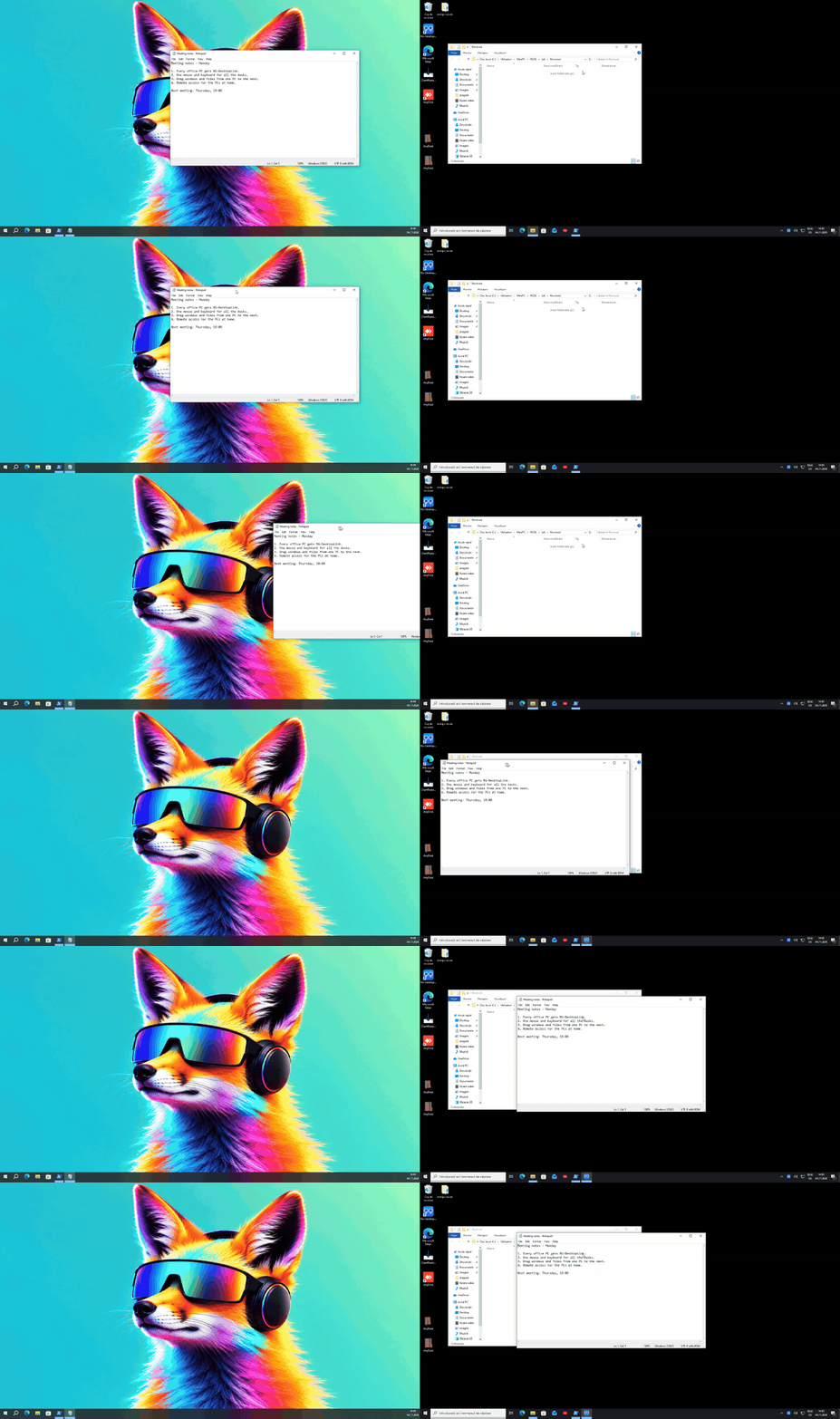
Drag it over the edge
- Press on the window's title bar and keep the mouse button down.
- Drag it toward the other PC. The part that goes over the edge already shows on the other PC, right at its edge, and moves with your hand.
- When the cursor crosses, the window goes on there, under the cursor. Let go where you want it.
A window always ends on one PC: let go while it still reaches over the edge, and it slides back onto the screen it is on.
Work in it
Everything works in the moved window: click, type, scroll, right-click menus, resize. It looks like the window itself, with its own title bar:
- drag that bar to move it on the other PC;
- its minimize and maximize buttons work on that PC;
- its close button closes the program;
- drag its edges to resize it.
What stands still is the exact picture, pixel for pixel; while something moves (scrolling, a video) it may be slightly soft for a moment.
Bring it back
Drag it over the edge again toward its own PC, or close it there: its real window comes back where it was.
From the Windows page
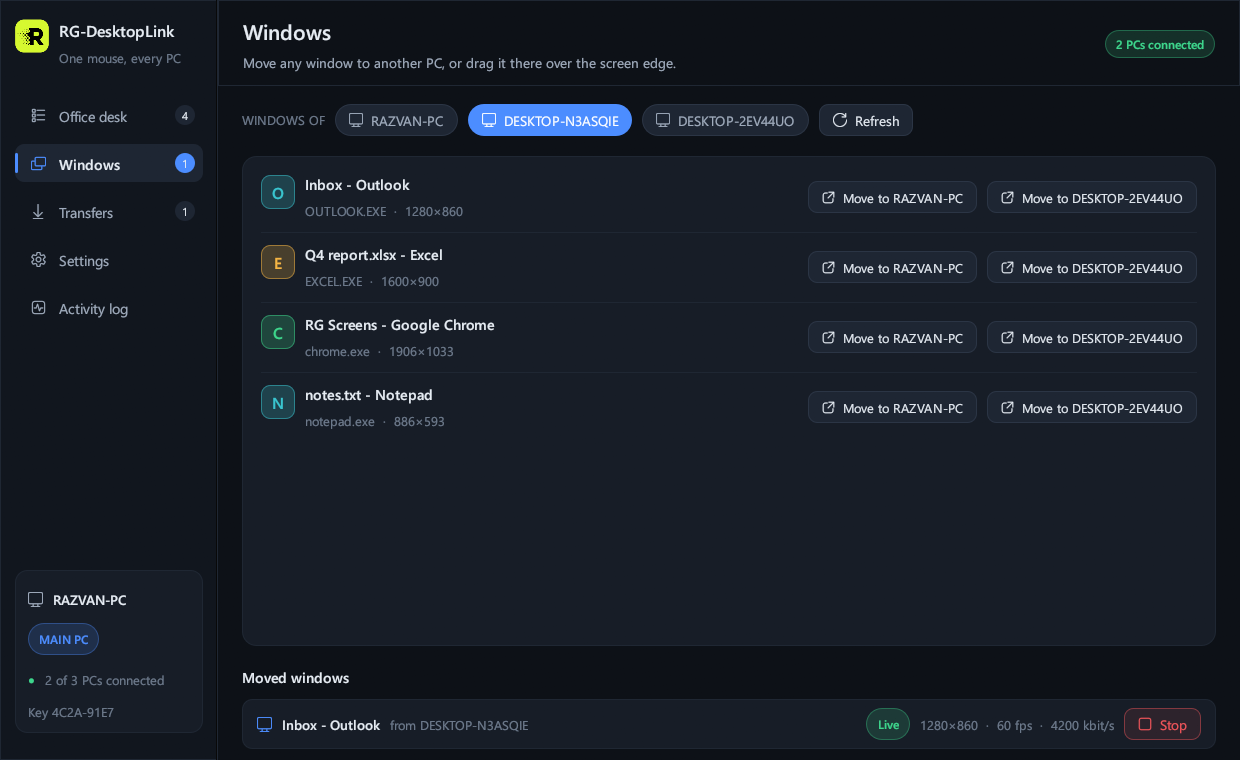
In the RG-DesktopLink window, Windows: choose a PC, then Move to … next to one of its windows. Below, the windows that are moved now. On the desk, right-click a screen → Its windows opens the same list.
Good to know
- Speed: on a cable network a dragged window shows its first picture on the other PC in a few hundredths of a second, and a click in it comes back as a picture about as fast.
- The video chip: big windows and whole screens are encoded by the PC's video chip (NVIDIA, Intel, AMD) when it has one: smoother, and the processor stays free. Small windows go faster on the processor.
- Protected video (Netflix and similar) shows black on the other PC.
- Sound stays on the PC where the program runs.
- A moved window always comes back to its PC, also if the network drops or the other PC goes away.