
RG-DesktopLink›Away from the office
Remote access by ID
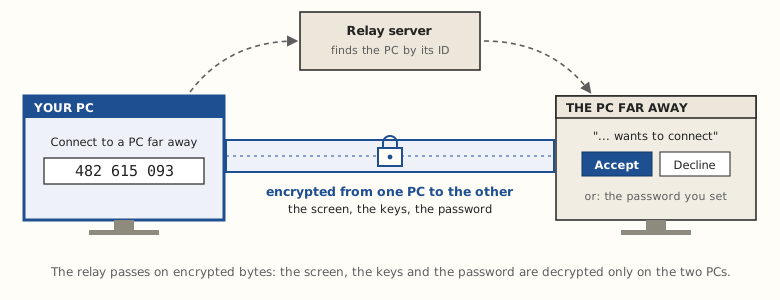
Away from the office? Reach one of its PCs from anywhere with its 9-digit ID, like AnyDesk: someone there clicks Accept, or you use the password you set for unattended access.
Step 1: on the PC far away, allow it
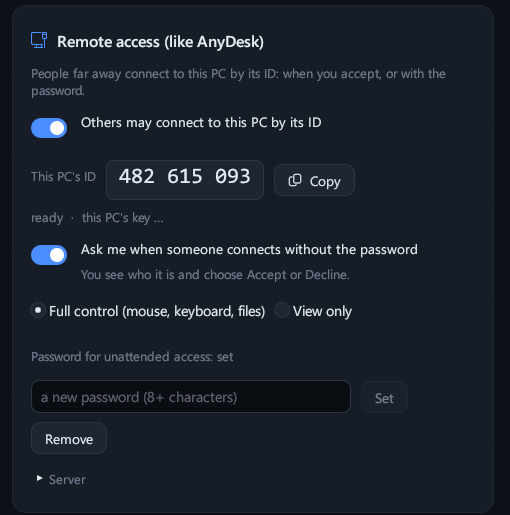
RG-DesktopLink must be installed there. Then Settings → Remote access → turn on Others may connect to this PC by its ID. Its ID shows (9 digits): Copy it.
Then choose how people get in:
- Ask me: a window "… wants to connect to this PC" with Accept and Decline, for a minute. For a PC with someone at it.
- A password for unattended access (8 characters or more): whoever has it gets in without asking. For a PC nobody sits at.
- Full control (mouse, keyboard, files) or View only.
Step 2: on your PC, connect
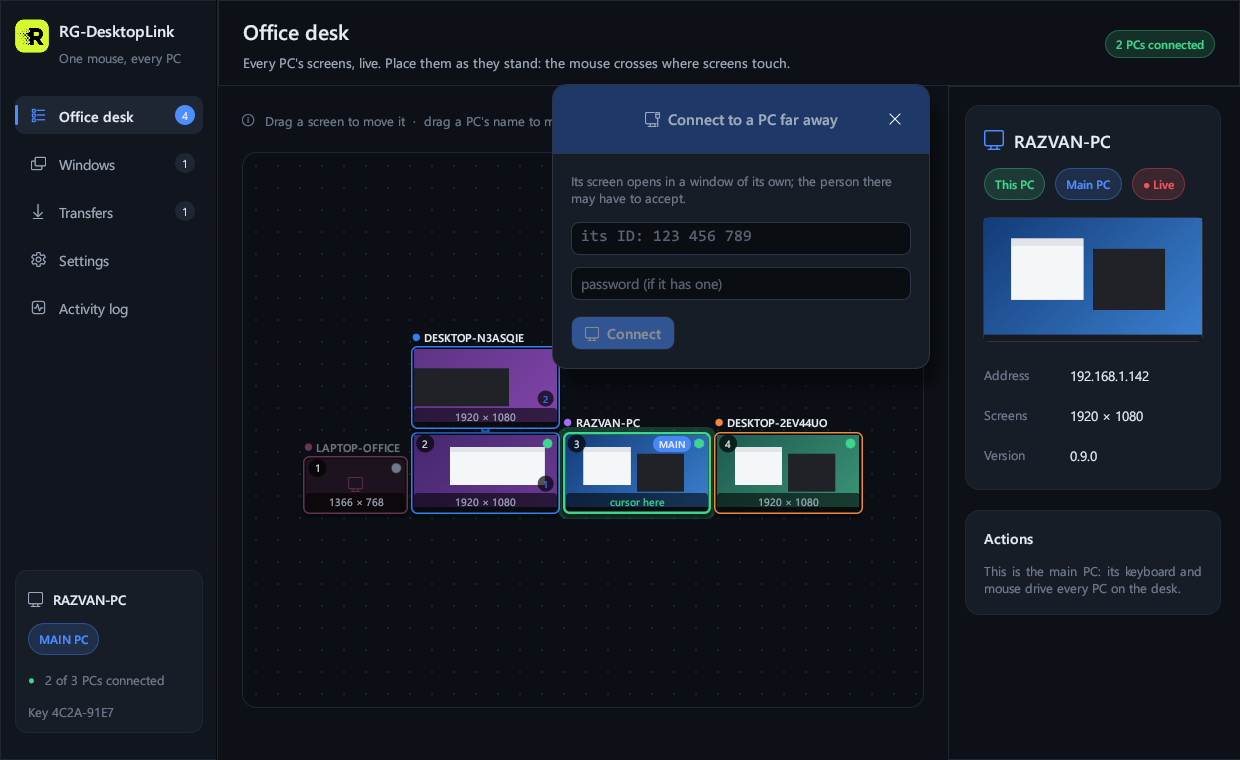
On the Office desk page, top right: Connect to a PC far away. Type its ID (and the password, if you have one) → Connect.
Its screen opens full screen. The person there accepts, or the password lets you in. Then you work in it as on the full-screen view of an office PC: F11 for a window, Alt+F4 to close.
How it is kept safe
- End to end: everything is encrypted from one PC to the other, with the far PC's own key. The relay server in the middle (ours) puts the two together and passes on encrypted data: the screen, what you type and the password are decrypted only on the two PCs.
- The password is kept as a strong one-way hash, and wrong tries are limited.
- A remote visitor can do only what you allowed: View only means only watching.
- Turn Others may connect to this PC by its ID off, and nobody can connect from outside.
Remote access or office link?
| Office PCs (same network) | Remote access by ID | |
|---|---|---|
| Where | The same router, or a VPN | Anywhere with internet |
| The cursor crosses to it | Yes | No: its screen opens full screen |
| Who gets in | PCs with the office key | Whoever the person accepts, or has the password |
| Counts for the licence | Yes | No |
A PC at home that you use every day can also join the office itself, over a VPN: see PCs on another network.