
RG-DesktopLink›Manage the office
More than two PCs: the licence
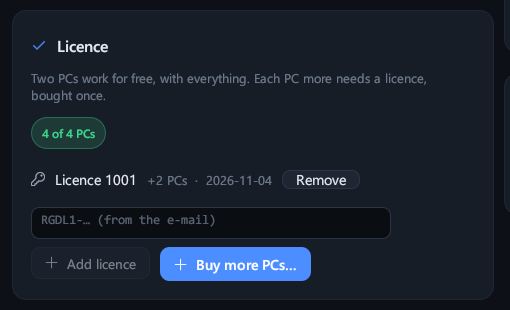
Two PCs work for free, with everything: the main PC and one more. Each PC more needs a licence, paid once. One key covers the whole office.
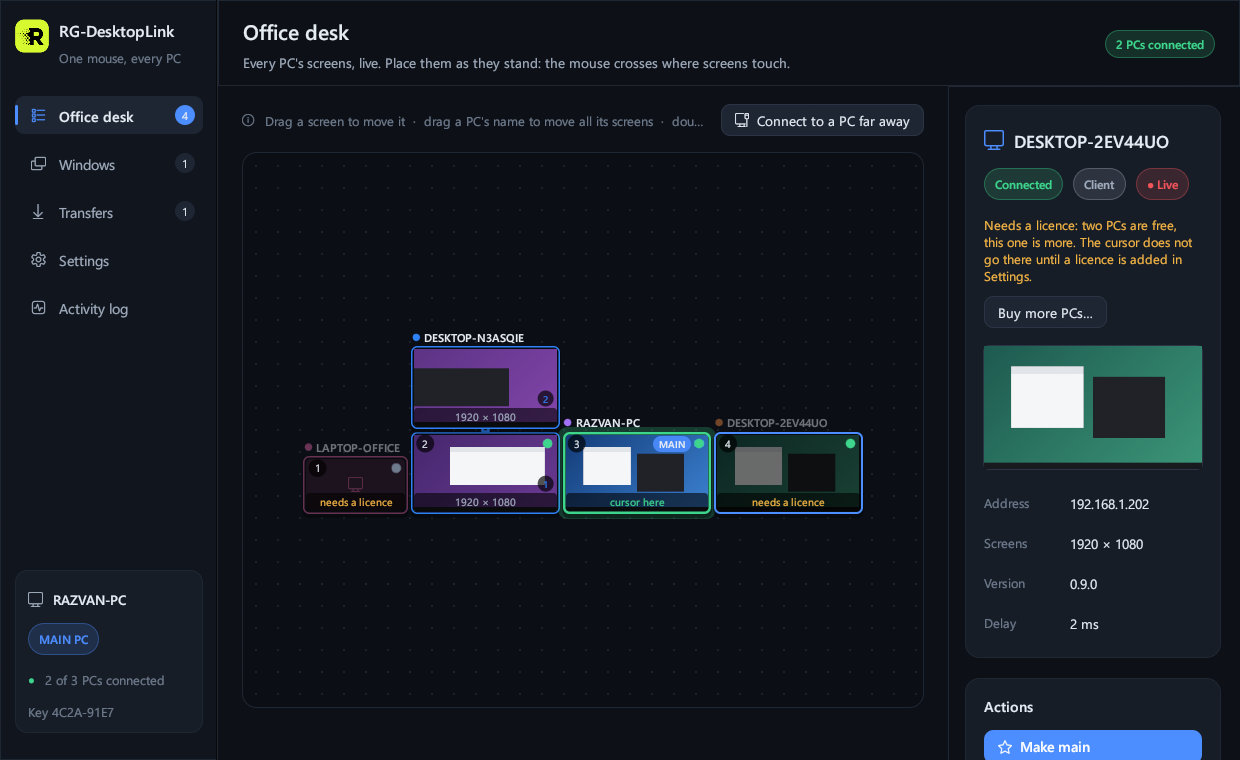
A PC that needs a licence
A third PC shows grey on the desk with needs a licence: the cursor and windows do not go there, and its screen can be watched but not used. PCs kept off the desk (on another network, full screen only) count too.
Phones and remote access by ID are not counted.
Buy and add it
- On the main PC: Settings → Licence → Buy more PCs… (or click the grey PC). The shop opens with the missing PCs already counted.
- Pay on Stripe's page. The key (
RGDL1-…) comes by e-mail, and the page after the payment shows it too. - Settings → Licence: paste it → Add licence. The grey PCs work at once.
| Licence | Price |
|---|---|
| 1 more PC (any quantity) | 9 EUR per PC |
| 5 more PCs | 39 EUR |
| 15 more PCs | 99 EUR |
Paid once, no subscription; updates of the 1.x versions included. Licences add up: two keys for 5 PCs give 10 PCs more. Buy more PCs.
One key for the office
- Add it on the main PC: the main PC gives it to the other PCs by itself, so it is there also if another PC becomes the main PC.
- Every PC checks it on its own.
- The key works offline: no account, nothing to renew.
- Keep the e-mail: the same key works again after a reinstall.
Tip
Not in your Inbox? Look in Spam (or Junk). Lost the e-mail? Write to support@rgpixel.com with the address you paid with.